Say you lose your house key. You get a new one cut and feel better. But you never changed the lock, so the old key still opens the front door.
A lot of teams handle leaked passwords and keys the same way. They make a new one, call the job done, and the leaked one keeps working. This post goes through five common beliefs about “rotating secrets” and explains what actually happens in each case.
First, some plain-language terms
| Term | What it means | Everyday analogy |
|---|---|---|
| Secret | Anything that proves identity to a system: passwords, API keys, tokens, certificates | A house key |
| API key | A long string a program uses to log in to a service | A key card for a building |
| Rotation | Creating a new secret and switching your systems over to it | Cutting a new key |
| Revocation | Making the old secret stop working | Changing the lock |
| Blast radius | Everything a secret can reach if someone steals it | Every room the key opens |
| Secret sprawl | Copies of a secret scattered in many places | Spare keys under mats, in cars, with neighbours |
Myth 1: “We rotated the key, so the old one is dead”
Rotation and revocation are two separate steps. Many services let one account have two or more active keys at the same time. That’s deliberate: you can move your apps to the new key without any downtime. It also means the old key keeps working until someone disables or deletes it.
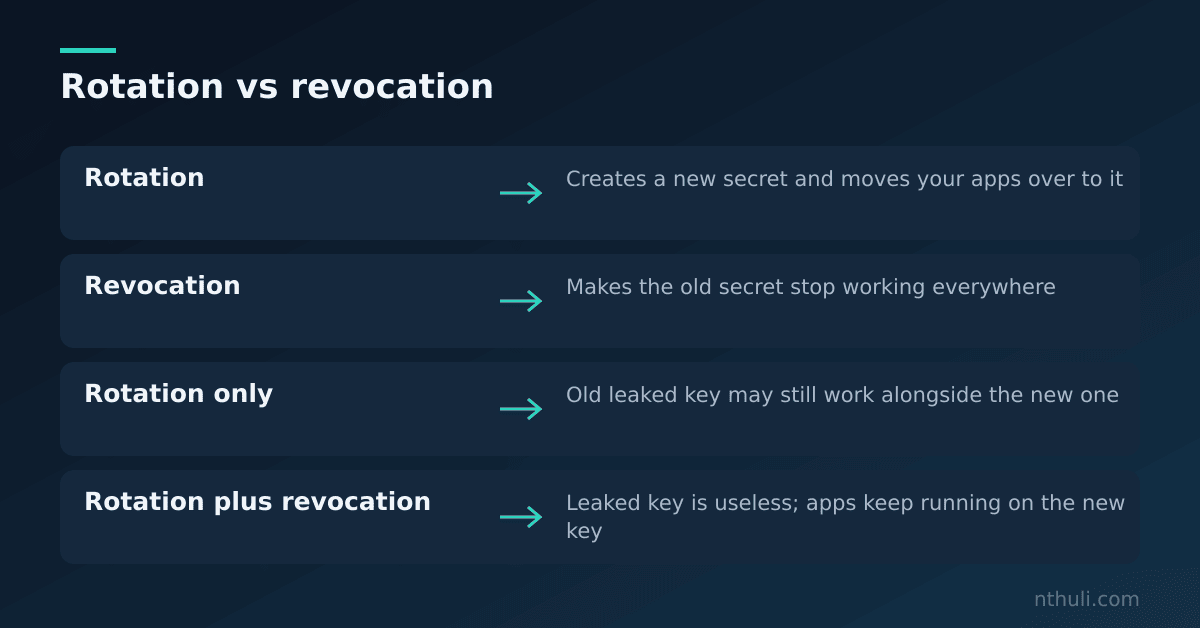
How to check: - List every active key for the account or service. - Make sure the leaked key shows as disabled or deleted, not just “unused”. - Look in the logs for any login attempts that still use the old key after you revoked it. Those attempts are a warning sign.
Myth 2: “Rotating fixes the leak”
Revoking a key stops anyone from using it in the future. It does nothing about what happened while the key still worked.
Picture a burglar who copied your spare key. Changing the lock won’t tell you what they took, or whether they left a window unlocked so they can come back. In computer terms, someone who gets in may set up their own user accounts or keys. Security people call this persistence: a way back in that doesn’t depend on the key they stole.
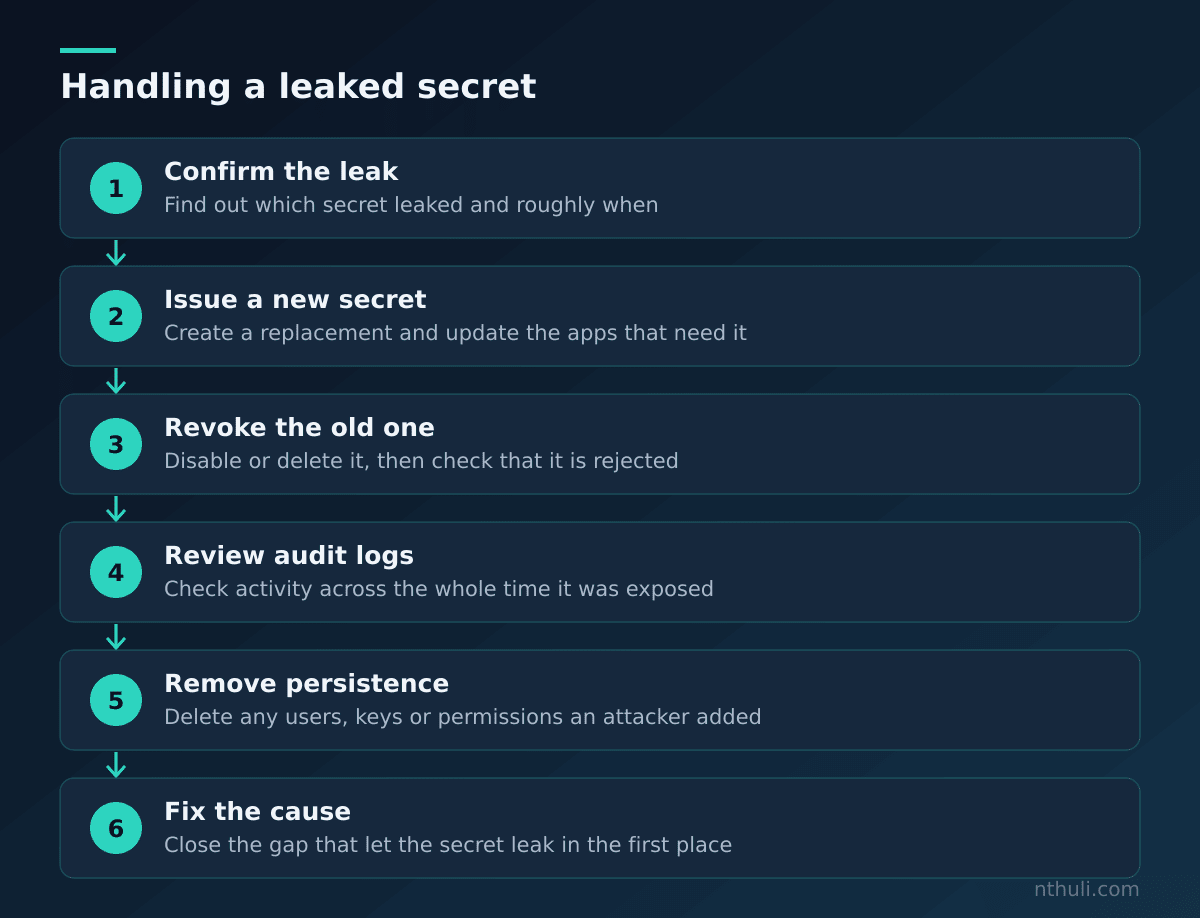
You need to check the audit logs (records of who did what, and when) for the whole stretch between when the key leaked and when you revoked it. Look for: - New users, keys or access permissions that someone created - Data that was downloaded or exported - Logins from places or networks you don’t recognise
Myth 3: “It was only one key, so the damage is small”
How bad a leak is depends on what the key can reach, not on how many keys leaked. One key with administrator rights can open the whole account.
| Type of secret | What it might reach | Question to ask |
|---|---|---|
| Cloud admin key | Every server, database and storage bucket | Could it create new users? |
| Database password | Customer records | Read-only, or able to change data? |
| Code repository token | Source code and build pipelines | Could it change code before it ships? |
| Chat or email bot token | Messages and files | Could it post as a trusted user? |
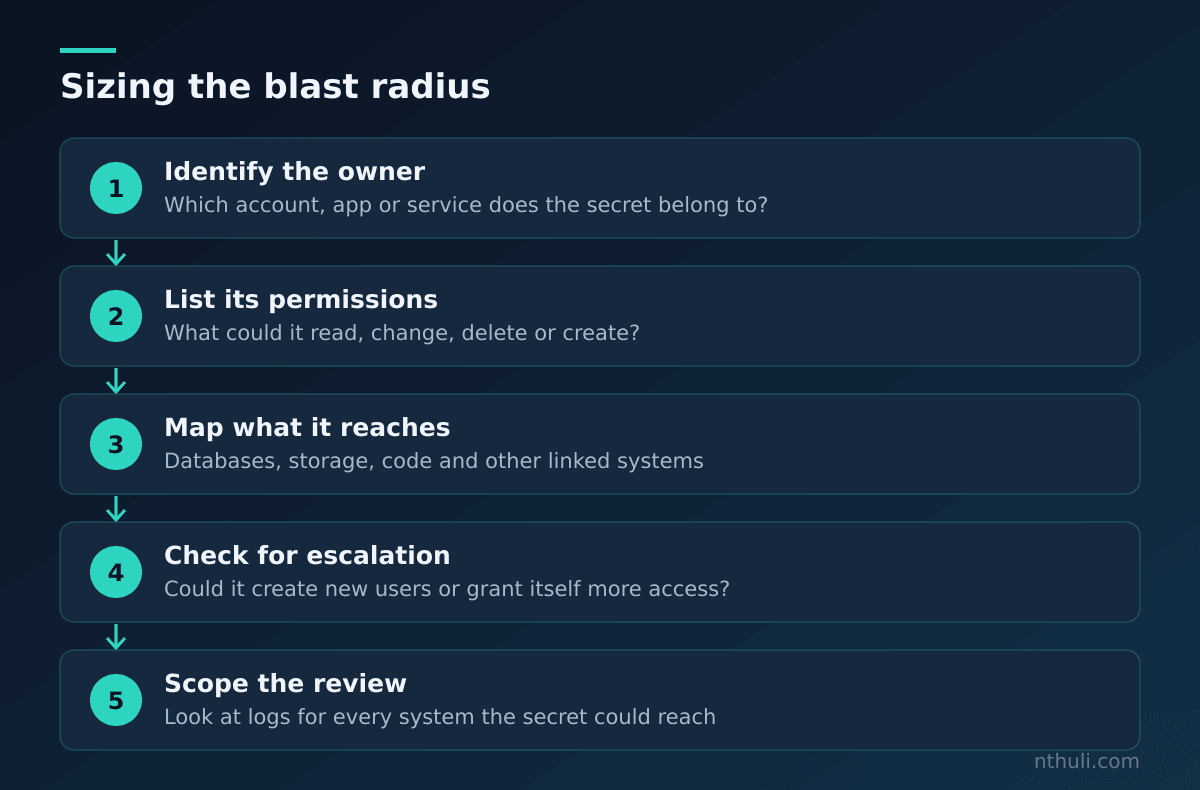
How to make the blast radius smaller: - Least privilege: give each key only the permissions it really needs. - Use a separate key for each app and each environment (testing vs. live). - Use short-lived credentials where you can. These are tokens that expire by themselves, often within hours.
Myth 4: “We know where all our secrets are”
Secrets spread around quietly. A developer pastes a key into a chat to fix a problem quickly. A build log prints out a setting. Someone deletes a password from a file, but it’s still in the project’s version history, the saved record of every past change to the code.
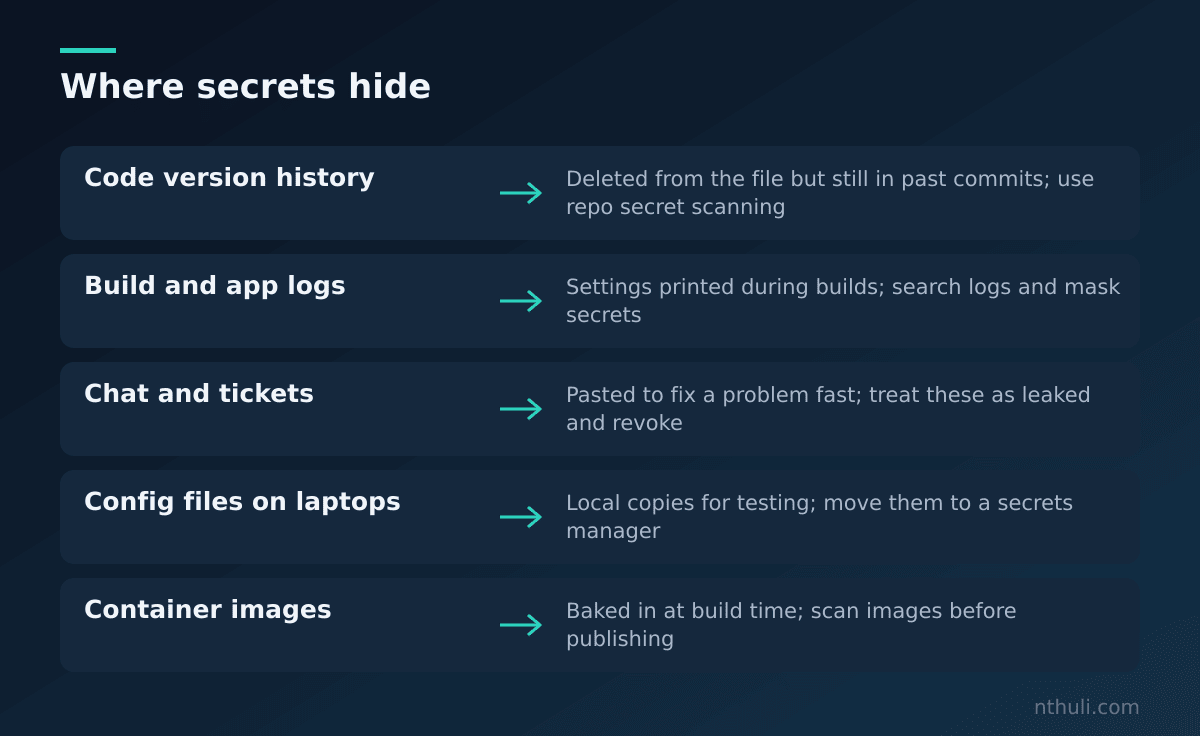
If you rotate a key but miss one copy of the old one, that copy will still work until you revoke the key itself. That’s why you revoke the key itself and don’t just tidy up the copies you know about.
How to reduce sprawl: - Keep secrets in one central secrets manager, a locked vault that apps ask for keys when they need them. - Turn on secret scanning in your code repositories. Add checks that block a commit if it contains a secret. - Treat any secret pasted into chat, tickets or wikis as leaked.
Myth 5: “Rotation is a once-a-year chore”
When rotating is manual and nerve-wracking, people avoid doing it. Then, during a real incident, the team finds out nobody knows which systems use the key, and switching it breaks them. Being slow at this point gives an attacker more time.
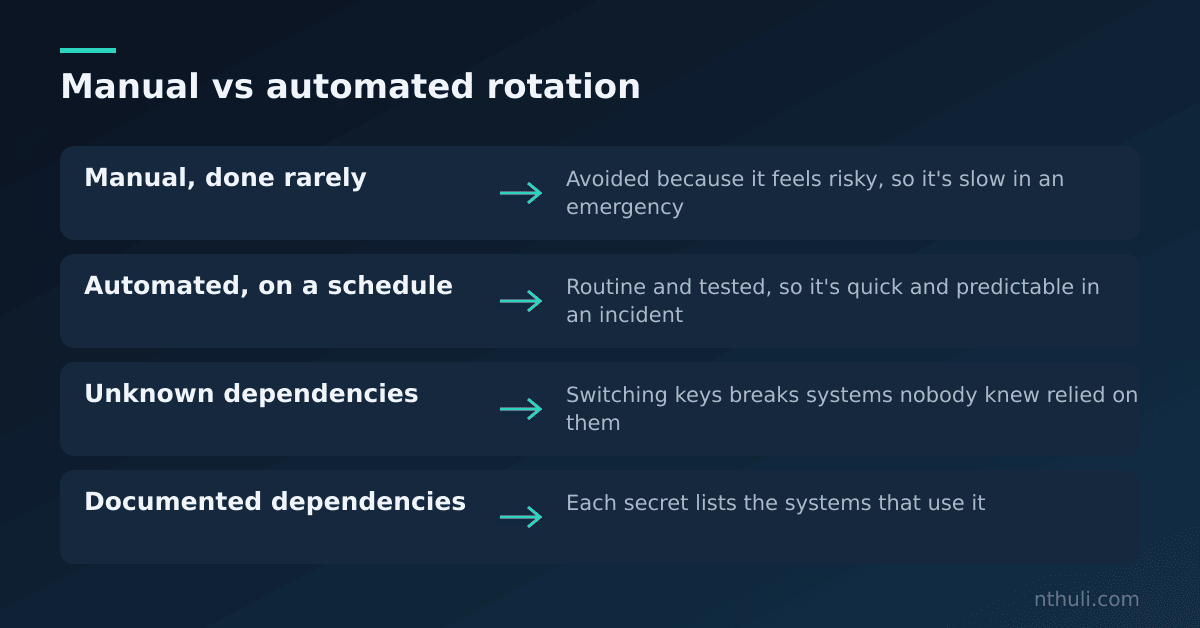
The fix is to make rotation boring. Automate it, rehearse it, and keep a list of which systems depend on each secret. If you’d have to rotate everything at short notice, perhaps because your hosting provider tells you to, you want that to be a routine job and not a weekend-long emergency.
What to learn from this
- Revoke, don’t just rotate. The job isn’t done until the old secret fails when someone uses it.
- Look backwards. Check the audit logs for the whole time the secret was exposed, and remove any users or keys an attacker created.
- Shrink the blast radius ahead of time. Use least privilege, separate keys for each app, and short-lived credentials.
- Treat every copy as live. Use a secrets manager and scanning to find copies in code history, logs and chat.
- Practise rotation before you need it. Automated, rehearsed rotation turns an emergency into routine work.