on this page
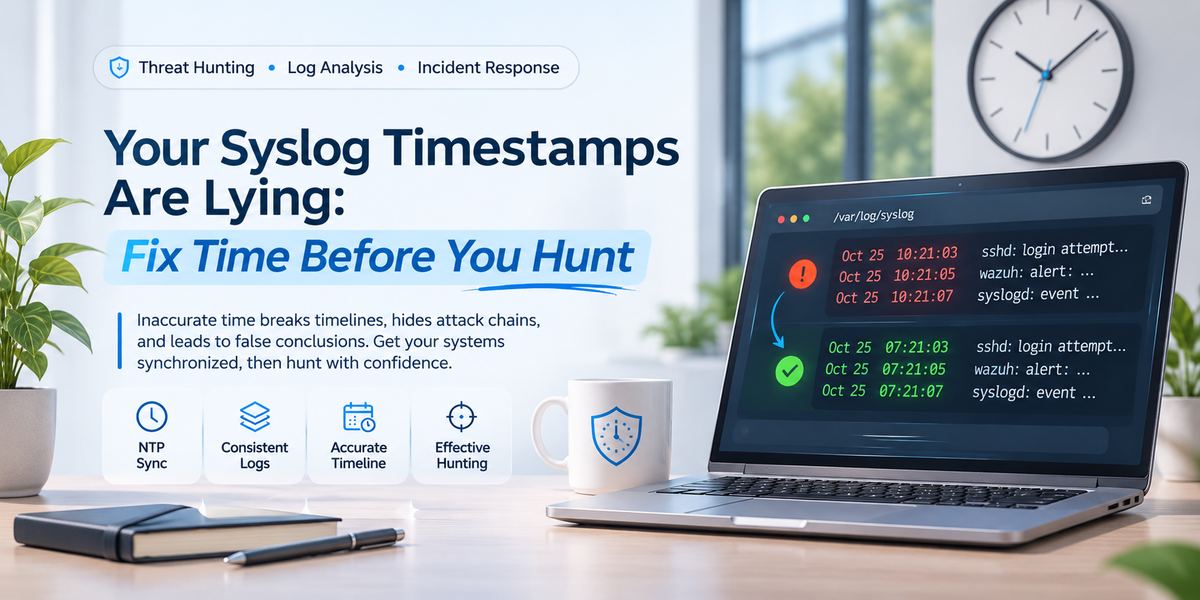
Debian 12 (“bookworm”) shipped in 2023 with one line missing from /etc/rsyslog.conf. For years that line had forced rsyslog to write the old BSD-style timestamp. With it gone, rsyslog falls back to its own default, a high-precision RFC 3339 timestamp, and Ubuntu’s defaults moved the same way. The result was that the timestamps in /var/log/syslog and auth.log changed shape.
Most people never noticed, and that is the trouble. A parser that expected Nov 23 14:02:11 and now gets 2026-11-23T14:02:11.482913+00:00 usually doesn’t raise an error. It falls back to some other time, often the moment the log arrived at the collector. From then on the timeline looks fine and is wrong.
This post uses that change to explain the three ways time goes wrong in logs: format, zone and drift. For each one, it covers how to catch the problem before you build an incident timeline on top of it.
What actually changed
The removed directive was:
$ActionFileDefaultTemplate RSYSLOG_TraditionalFileFormat
Without it, file output uses RSYSLOG_FileFormat. Here is the same event written both ways:
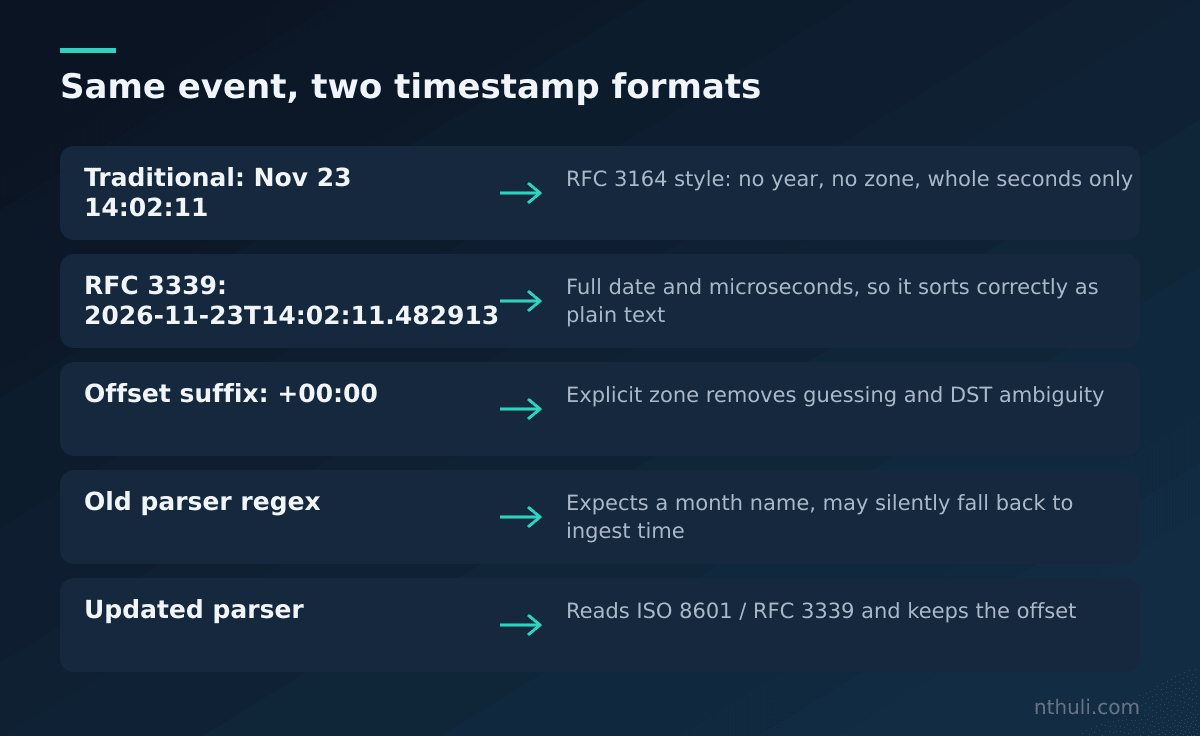
| Property | Traditional (RFC 3164 style) | RSYSLOG_FileFormat (RFC 3339) |
|---|---|---|
| Example | Nov 23 14:02:11 |
2026-11-23T14:02:11.482913+00:00 |
| Year | Absent, so it must be inferred | Present |
| Time zone | Absent, so it must be assumed | Explicit UTC offset |
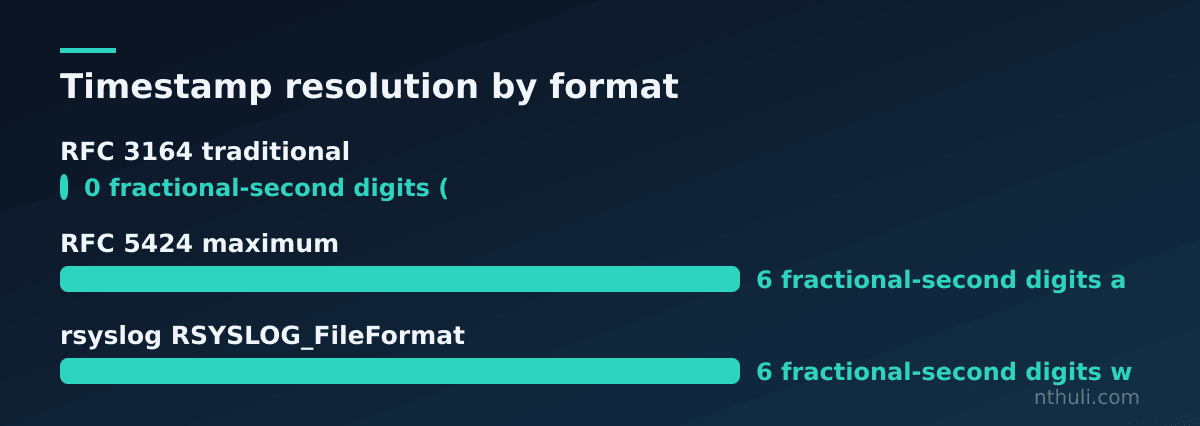
| Resolution | 1 second | Microseconds |
| Sorts as plain text | No (month names, space-padded days) | Yes, if all offsets match |
| DST-safe | No | Yes |
The new format is better on every row. The risk lies in the tools that read it.
To check what a host is doing:
grep -rn "ActionFileDefaultTemplate\|template=" /etc/rsyslog.conf /etc/rsyslog.d/tail -n1 /var/log/syslogorauth.log, and look at the timestamp yourself.- Look for upgraded fleets where some hosts emit one format and some emit the other. That mix is common after in-place upgrades where the admin kept a locally modified config file.
The tempting fix is to put the old line back so the parsers keep working. Fix the parsers instead. The traditional format discards information you will want during an investigation.
Why the old format quietly hurts timelines
The format is older than the specs written to replace it:
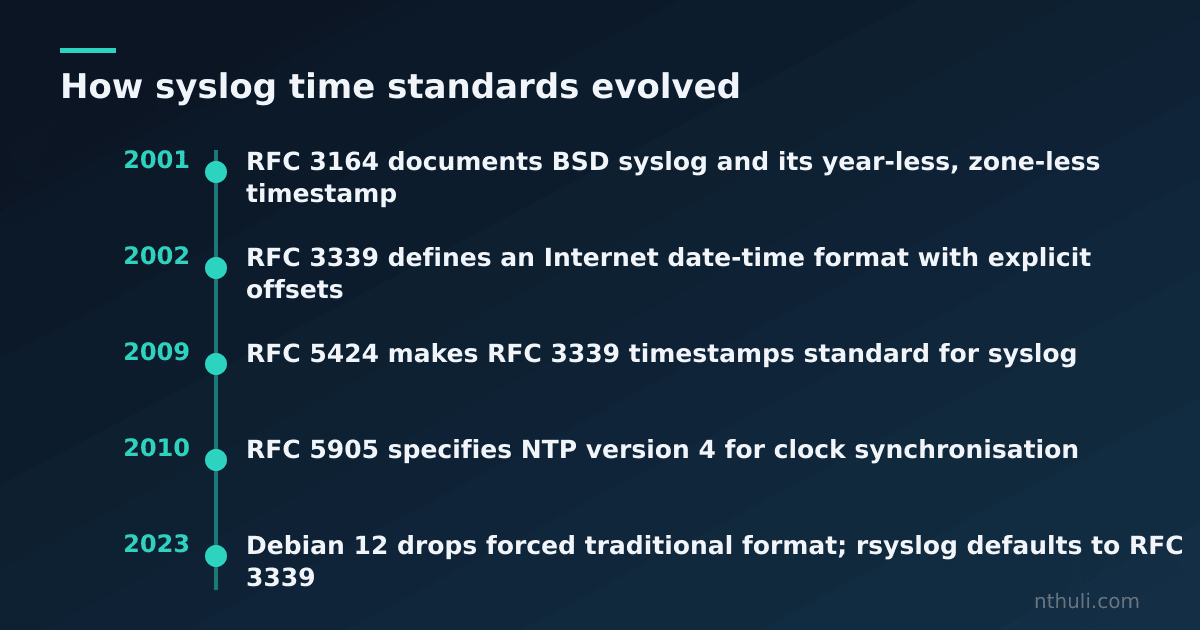
RFC 3164 described how BSD syslog behaved in practice. It didn’t prescribe a design. Its timestamp has three built-in weaknesses.
No year. The collector has to guess it. Most parsers assume the current year, which breaks at the turn of the year: an event logged on 31 December and ingested on 1 January can land a year in the future. Old logs replayed into a SIEM can also come in stamped with the year they were loaded.
No zone. 14:02:11 means whatever the reader assumes it means. If the sending host runs in local time and the collector assumes UTC, every event shifts by the full offset. Nothing looks broken, because the offset is applied the same way to every event from that host.
One-second resolution. A process spawn, an outbound connection and a file write can all share the same second. At that resolution, ordering inside a burst is lost and the SIEM falls back to arrival order or makes one up.
Where time gets stamped in a pipeline
One event can carry several timestamps before it reaches an analyst. Know which one you are looking at.
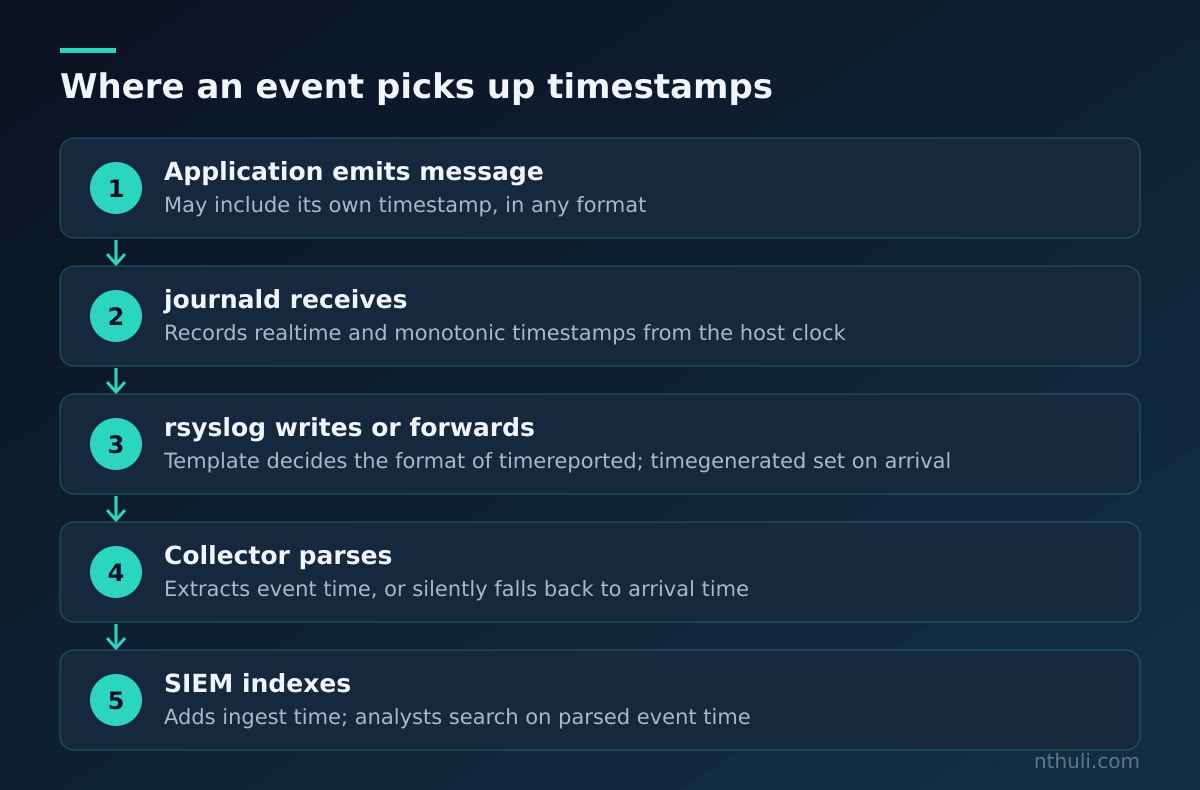
| Timestamp | Set by | Trust it for | Watch out for |
|---|---|---|---|
journald __REALTIME_TIMESTAMP |
Kernel clock when journald receives the message | Wall-clock time on the host | Host clock drift |
journald __MONOTONIC_TIMESTAMP |
Monotonic clock, per boot | Ordering within one boot | Resets at reboot, so it can’t be compared across hosts |
rsyslog timereported |
Whatever the message claims | Sender’s view of time | Spoofable, and old formats lack year and zone |
rsyslog timegenerated |
Receiving rsyslog | Arrival time at that hop | Network delay and queue backlog |
| SIEM event time | Parser output | Searching and correlation | Falls back to ingest time when parsing fails |
| SIEM ingest time | Indexer | Pipeline health | Is not when the event happened |
Two details here catch experienced people out.
First, rsyslog’s file templates write timereported. That is the time the sender claims, not the time rsyslog received the message. A misconfigured or hostile sender controls that field.
Second, forwarding has its own template. RSYSLOG_ForwardFormat sends RFC 3339 timestamps. RSYSLOG_TraditionalForwardFormat sends the old format, so it removes the year and zone before the collector ever sees them. Check the forwarding actions as well as the file actions.
Time zones and the hour that happens twice
Writing logs in local time causes a predictable failure once a year. When daylight saving ends, the clock goes back one hour and that hour happens twice. A log line stamped 01:30 without an offset could refer to either one. The order of events in that window can’t be recovered from the log alone.
The fixes are simple to state:
- Run servers in UTC (
timedatectl set-timezone UTC) unless there’s a strong reason not to. - Always emit an offset, even in UTC.
+00:00tells the reader you meant UTC. A bare timestamp only lets them guess. - Normalise once, at ingestion, to UTC. Convert to local time only for display.
- Record the source zone as a field, so a later analyst can see what the parser assumed.
Network appliances, older appliances and some embedded systems may only send RFC 3164-style messages. For those, set the zone explicitly per source in the parser. Don’t let one global default cover all of them.
Clock drift: the failure that grows slowly
A correct format and zone won’t help if the clock itself is wrong. Drift builds up gradually, then jumps when someone corrects it. Common causes:
- Virtual machines restored from a snapshot or resumed from suspend. The guest clock carries on from where it stopped until sync catches up.
- Sync configured but not working. The NTP port is blocked by a firewall, a server name no longer resolves, or a daemon has been masked.
- Hardware clock confusion on dual-boot or older machines that keep the RTC in local time.
- Containers. They share the host kernel clock, so a drifting host means every workload on it drifts too.
- Deliberate changes. An intruder can set the clock to muddy the timeline.
Commands that show the real state:
| Check | Command | Healthy looks like |
|---|---|---|
| Sync status (systemd) | timedatectl |
“System clock synchronized: yes” |
| Detail (timesyncd) | timedatectl timesync-status |
Small offset, a reachable server |
| Detail (chrony) | chronyc tracking |
Small system time offset, leap status normal |
| Sources (chrony) | chronyc sources -v |
At least one selected source (*) |
| Precise journal view | journalctl -o short-iso-precise |
Offsets present, microseconds visible |
Detecting time problems before you hunt
Treat time as telemetry you monitor. Don’t take it for granted.
1. Watch the gap between event time and ingest time, per host. Each source has a normal lag. A host whose events suddenly arrive “from the future”, or hours behind, has drifted, changed zone, or broken its parsing. A steady lag of exactly the UTC offset almost always means a zone assumption is wrong.
2. Alert on parse fallbacks. If the SIEM records when it substituted ingest time for event time, count those events by source. A jump in that count right after an OS upgrade points to the format change.
3. Audit clock changes on the host. auditd can watch the syscalls that set time. A typical rule set covers adjtimex, settimeofday and clock_settime, plus writes to /etc/localtime, all tagged with a key such as time-change. On a synced host, NTP daemons make small adjustments all the time. Any change made outside the sync daemon is suspicious.
4. Look for gaps and backward jumps. Sort events from one host by the monotonic or sequence order and compare them with the wall-clock order. A wall-clock step backwards within one boot means someone, or something, changed the time.
5. Keep an independent reference. Network sensors, proxies and cloud control-plane logs have their own clocks. When host logs and network logs disagree about one event, measure the difference and correct for it explicitly. Don’t pick whichever source feels more trustworthy.
Building a timeline you can defend
When an investigation starts, take a few minutes on time before chasing indicators:
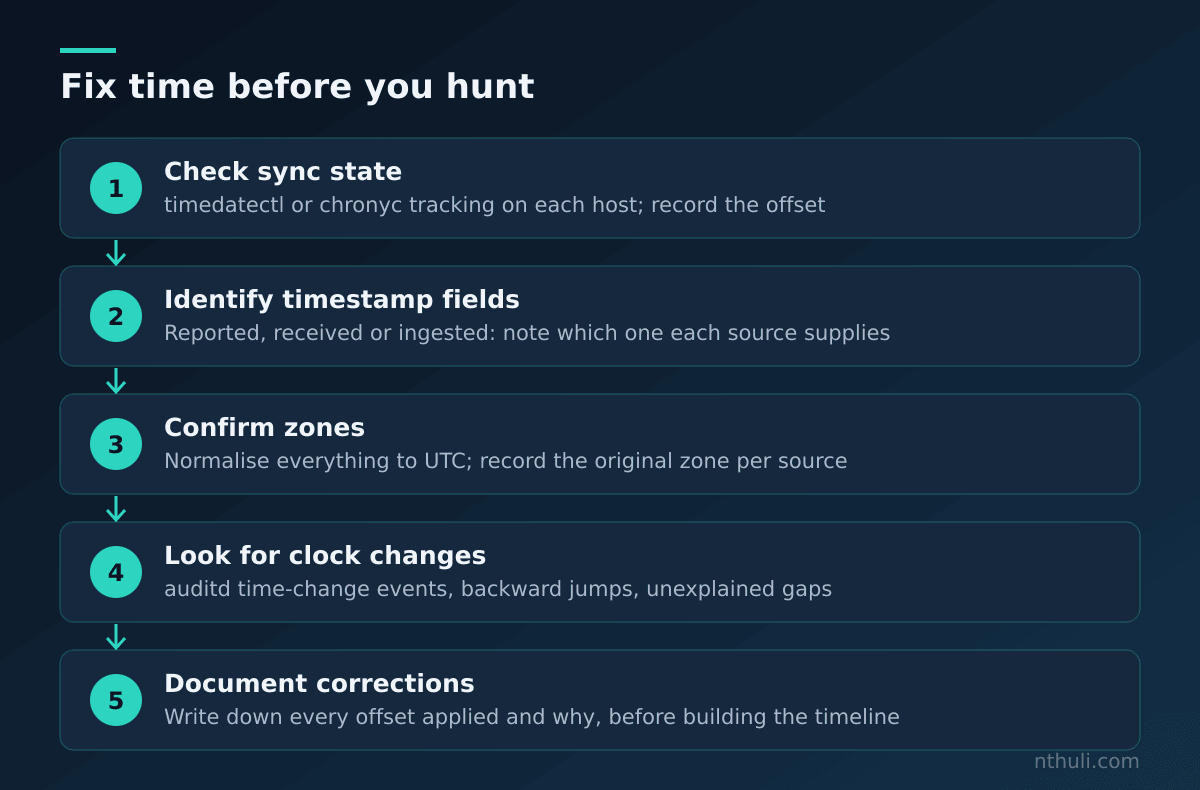
- Record each relevant host’s sync status and measured offset at collection time, and note it in the case file.
- Note which timestamp field every source contributes: reported, received or ingested.
- State the time zone used for the timeline, and keep it to UTC.
- When you apply a correction, write down the amount and the reason. A timeline with an unexplained 7-minute shift will not stand up to review.
- Treat any event ordering finer than the coarsest source resolution as uncertain.
What to learn from this
- Audit your parsers against the new rsyslog format. On Debian 12 and later, and on recent Ubuntu, expect RFC 3339 timestamps with microseconds and offsets. Test that the SIEM extracts them as event time and doesn’t fall back to ingest time.
- Keep the new format and fix the tooling. The traditional template discards the year, the zone and sub-second ordering, and you’ll need all three during an incident.
- Standardise on UTC with explicit offsets everywhere. That rules out DST ambiguity and wrong zone assumptions.
- Monitor time like any other signal. Track event-to-ingest lag per host, count parse fallbacks, and audit clock-setting syscalls with auditd.
- Record clock state at the start of every investigation. Measure each host’s offset, write it down, and document every correction you apply.