on this page
- First, untangle this week’s headlines
- Start from the base rate
- The checklist
- Steps 1–2: Is it a change, or a dependency?
- Step 3: Read the shape of the outage
- Step 4: Look for a claim
- Step 5: Ransomware signs that show up before encryption
- If the evidence points to an attack
- Third parties don’t appear on your dashboards
- What to learn from this
- Sources

A week of big outages in the US turned into a week of breach disclosures. Across four consecutive business days, a Microsoft Exchange outage, an FAA failure that grounded planes, a JPMorgan Chase software problem, a United Airlines glitch and NSA network downtime all came one after another. Then on Thursday, Chase, Visa and Mastercard confirmed third-party breaches after an extortion gang claimed them.
It’s natural to read that as one connected campaign. The sources don’t support that reading. The rest of this post explains why, and gives you a checklist for the first minutes of your own outage, when you have to decide whether you’re dealing with a bad deploy or an intruder.
First, untangle this week’s headlines
The framing “outages followed by breaches” needs a correction. According to the companies’ own statements, the breaches and the outages are separate events.
| Company | What it confirmed | Link to outages? |
|---|---|---|
| Visa | Incident at a third-party service provider in Asia Pacific. No card numbers affected, and Visa’s own systems were not involved (The Register) | “Unrelated to any of the system disruptions” |
| Mastercard | A third party exposed “a limited amount of email addresses” for a small subset of cardholders in one benefit program. Mastercard says the exposure is contained (The Register) | No impact on the payment network |
| JPMorgan Chase | Attackers accessed marketing data held by vendors, possibly including names and email addresses (The Register) | Chase says “no connection.” It attributes the earlier disruption to a software bug in on-premise hardware |
The group n0n claimed all three. It posted the firms to its leak site on Monday. The Register reports that the group is believed to be based in Russia, appeared in September, and listed 108 victims in its first month. None of the firms has named the vendors, said when the breaches happened, or said exactly what data was taken.
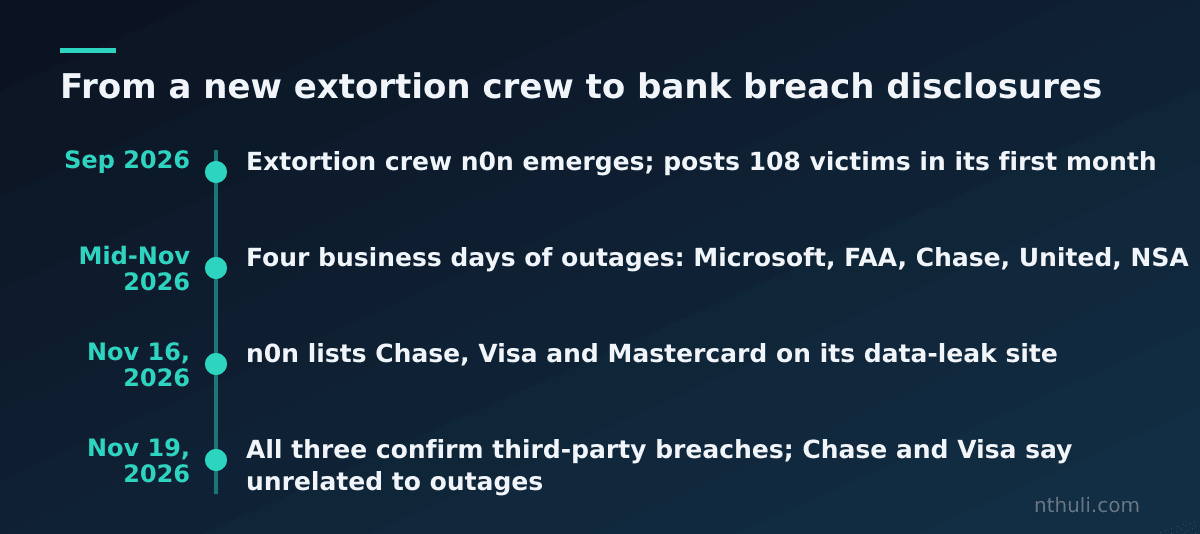
Two details are useful for defenders. First, problems at several banks during the outage seem to have traced back to inter-institutional transactions involving Chase. One failing node made many institutions look broken. Second, a Register headline on the same page says Microsoft blamed its email outage on a software defect introduced in a July fix. So the biggest outage of the week also appears to have been self-inflicted.
Start from the base rate
The most useful fact here is a ratio. Doug Madory, head of Internet analysis at Infoblox, tracks as many as a dozen network outages a day. He estimates that only around “one in a thousand” turns out to be caused by hackers. His default position is that it “isn’t a cyberattack unless there is some concrete evidence to the contrary.”
João Tomé of IPinfo lists the usual causes: “a bad update, a configuration change, a cable cut, or a power failure.” Cloudflare CEO Matthew Prince puts it more simply: “Stuff breaks, and that’s just the nature of complex systems.”
This doesn’t mean you can relax. It means you should assume an accident while you actively look for evidence that would prove the assumption wrong. The checklist below is built to look for that evidence.
The checklist
No source sets a ten-minute standard. The “10 minutes” is an order of work, not a benchmark. Steps 1–4 follow the Wired/Ars method. Step 5 adds the pre-encryption signals from the BleepingComputer piece sponsored by Acronis. Treat that piece’s product claims as vendor material, but its list of attacker behaviors matches standard practice.
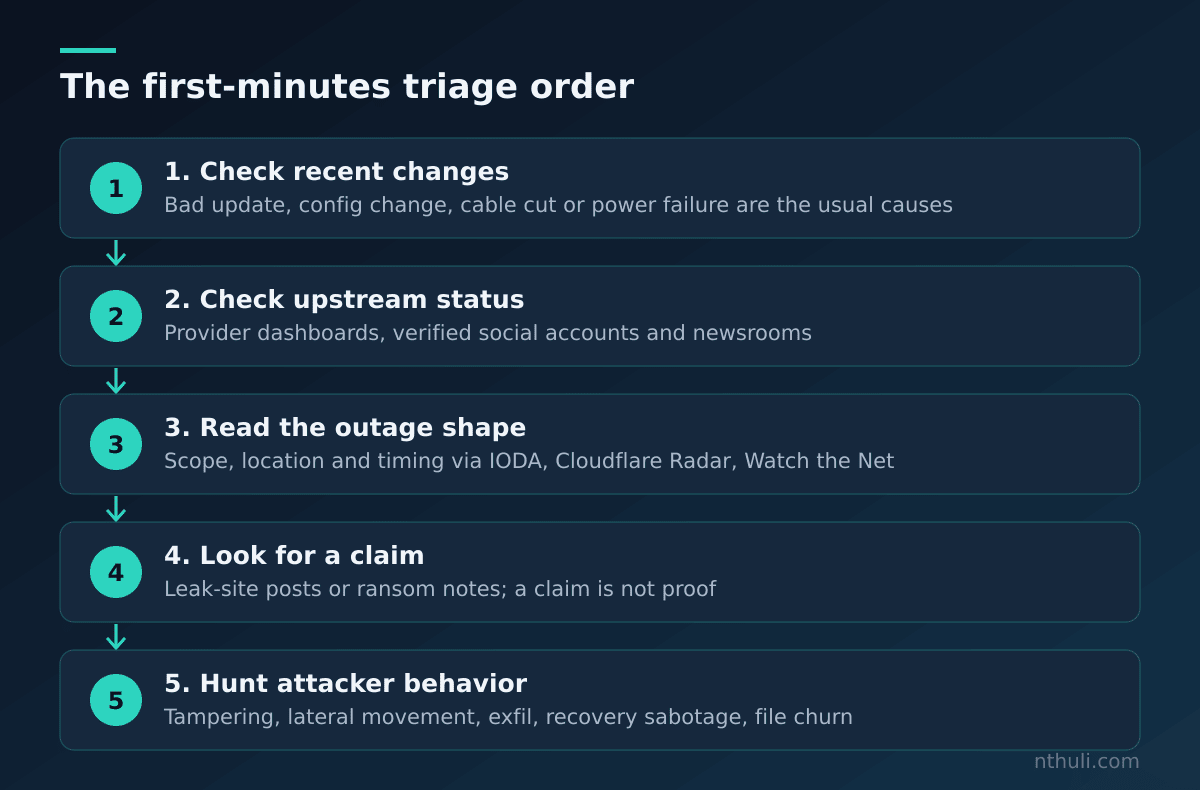
| # | Question | Where to look |
|---|---|---|
| 1 | What changed recently? | Deploy logs, config changes, patch windows, power and carrier notices |
| 2 | Is it us, or someone upstream? | Provider status dashboards (AWS, GCP, Azure, Workspace), vendors’ verified social accounts and newsrooms (Ars) |
| 3 | How big is it, where is it, and when did it start? | IODA, Cloudflare Radar, Watch the Net (Ars) |
| 4 | Has anyone claimed it? | Ransomware leak sites, ransom notes on hosts, notes appearing on social media |
| 5 | Are attacker behaviors present? | EDR, Windows event logs, egress telemetry, backup console |
Steps 1–2: Is it a change, or a dependency?
Begin with your own change record. If there was a deploy or config push just before the first errors, that is your main hypothesis.
Next, check whether the failure belongs to someone else. A major cloud outage can cascade across that provider’s customers. Services that are healthy can also throw errors when they call one that’s down, which is the same pattern as the Chase bank transactions. Status dashboards often post step-by-step restoration updates during major incidents.
Step 3: Read the shape of the outage
Georgia Tech’s Amanda Meng, who helps run IODA, says her team examines the start, end, timing and network affected. Those details help separate a buggy update on one network from a fiber cut that takes out a region. More rarely, they point to an attack or a government shutdown. Her advice afterwards is to go back to the operator: “Usually the operators have the most information.”
Step 4: Look for a claim
Most outages end with a company admitting its own mistake. Real attacks often come with a claim of responsibility. Ransomware gangs list victims on dark web leak sites, sometimes with a countdown timer. Worms such as NotPetya and WannaCry left ransom notes that spread on social media.
Be careful in both directions. A leak-site post is a claim, not proof. Visa’s response was to call it an incident at a provider, not a compromise of Visa. A claim can also arrive days after the intrusion, so finding nothing in the first minutes doesn’t rule anything out.
Step 5: Ransomware signs that show up before encryption
Many teams still say they’d recognize ransomware “when files start changing extensions.” By that point, credential theft, privilege escalation, defense evasion, recovery sabotage, lateral movement and exfiltration may all have happened. In data-extortion-only attacks, which is the model n0n is described as using, encryption may never happen.
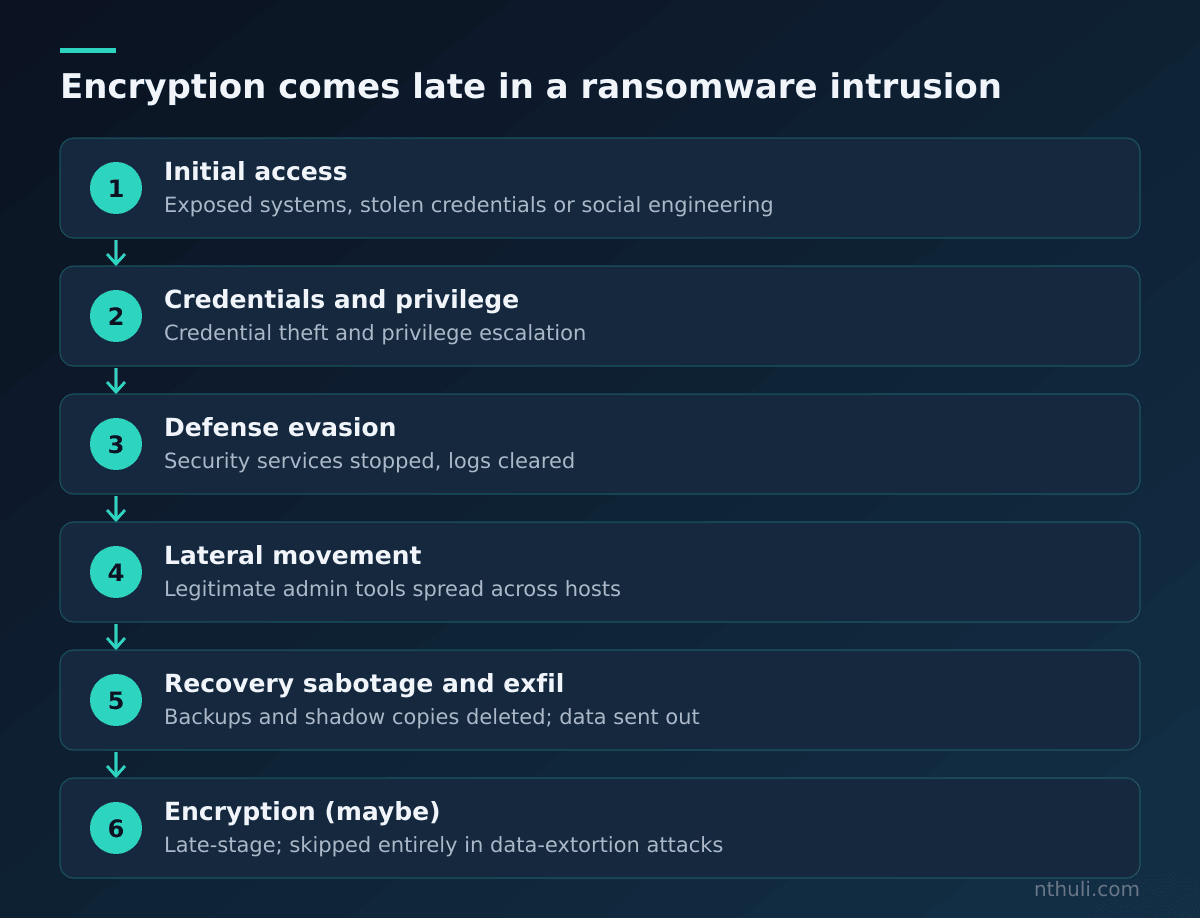
The article cites recent attacks on on-premises SharePoint as an example. Operators exploited internet-facing servers, then used stolen credentials and legitimate admin tools to move through networks before deploying ransomware.
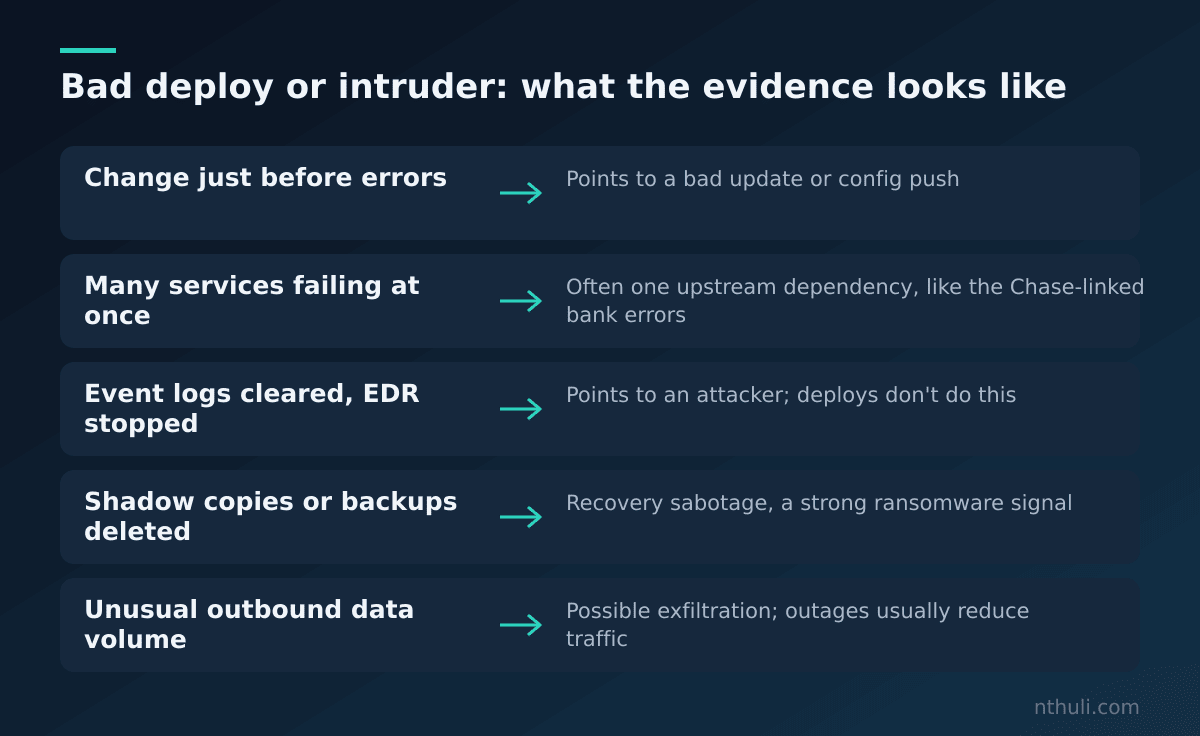
| Signal | What to look for | Why it separates an attack from a bad deploy |
|---|---|---|
| Defense tampering | Security services stopped, agents modified, vulnerable drivers loaded, event logs cleared | A bad release doesn’t usually clear logs or switch off EDR |
| Privilege escalation and lateral movement | Unexpected privileged accounts, remote-execution tools spreading across hosts, unusual server-to-server remote access | Deploys use known service accounts and pipelines |
| Data exfiltration | Large outbound transfers from systems that don’t normally upload much | Outages tend to reduce traffic, not create new outbound flows |
| Recovery sabotage | Deletion of shadow copies, backup catalogs or recovery options using vssadmin.exe, wbadmin.exe or bcdedit.exe |
Almost never part of normal change activity |
| Pre-encryption file behavior | Fast file enumeration, repeated read-write-rename cycles, encryption-like changes on local or network shares | Very different from a crashed service |
All five signals come from BleepingComputer. One practical point: almost none of them look like normal operations. If your outage comes with any of them, you can’t keep assuming it’s an accident.
If the evidence points to an attack
The same source gives an immediate-response sequence:
- Isolate affected workloads, but keep the management channel you need to investigate.
- Stop malicious processes and quarantine confirmed malicious files.
- Preserve evidence: process trees, command lines, network connections and relevant logs.
- Disable the compromised account, token or remote-access path.
- Patch or close the exposed service after containment.
- Restore from a known-good recovery point, and validate it before reconnecting.
- Escalate to IR, legal, privacy, insurance and communications according to your plan.
It also recommends pre-authorizing automated actions for clearly defined high-severity conditions, and testing them before an incident. Waiting on an approval chain in the middle of an incident costs the minutes this checklist is meant to save.
One caveat matters for the Chase, Visa and Mastercard situation. Restoring from backup brings systems back, but it does not undo data theft. In those breaches, nothing was reported as encrypted. The risk was data held by vendors.
Third parties don’t appear on your dashboards
All three confirmed breaches went through vendors: an APAC service provider, a benefit-program provider, and marketing vendors. None of them caused a visible outage. Chase says its own services were not disrupted by the breach.
That points to a gap in a checklist built around outages. The most important incident of your week may come with no outage at all. Add a standing step: when a gang posts your name, ask which vendors hold your data. Don’t only ask which of your own systems are down.
What to learn from this
- Assume an accident and test that assumption. Around one outage in a thousand is caused by hackers, according to Madory’s estimate. Check changes, dependencies and status pages before you escalate.
- Events that happen together aren’t necessarily linked. Chase and Visa both say their breaches are unrelated to this week’s disruptions. Keep the outage and breach investigations separate until evidence connects them.
- Look for attacker behavior, not encrypted files. Log clearing, shadow-copy deletion, unusual egress and spreading remote-execution tools are the signals that separate an intruder from a bad deploy. Write detections for them now.
- Decide containment actions in advance. Pre-authorize and test isolation for clearly defined high-severity conditions so nobody has to debate it during the incident.
- Include vendors in triage. If someone claims a breach and nothing is down, check third parties that hold your data. That’s where all three confirmed breaches this week happened.