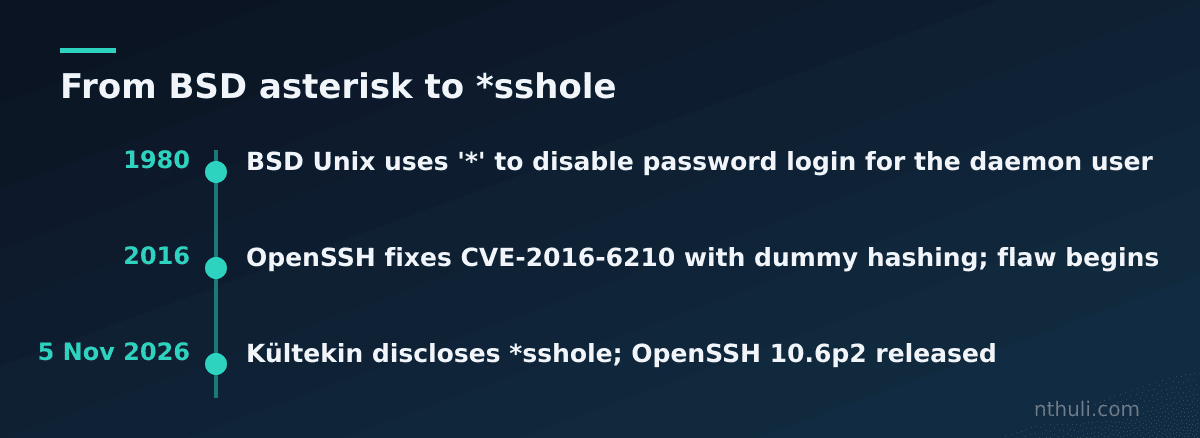
Most people treat an asterisk in /etc/shadow as a locked door, because no password can match a hash that isn’t a hash. On some Alpine and other musl-based systems, a password longer than 256 bytes could get through that door anyway. The flaw is called *sshole. Researcher Özgün Kültekin disclosed it on 5 November 2026, and it has existed since 2016. OpenSSH rates it critical and shipped a fix the same day.
This guide covers how the flaw works, how to find exposed hosts, how to patch, and how to search your logs for logins that should not have been possible.
Why a key-only account accepted a password
Three ordinary decisions combined to cause this.
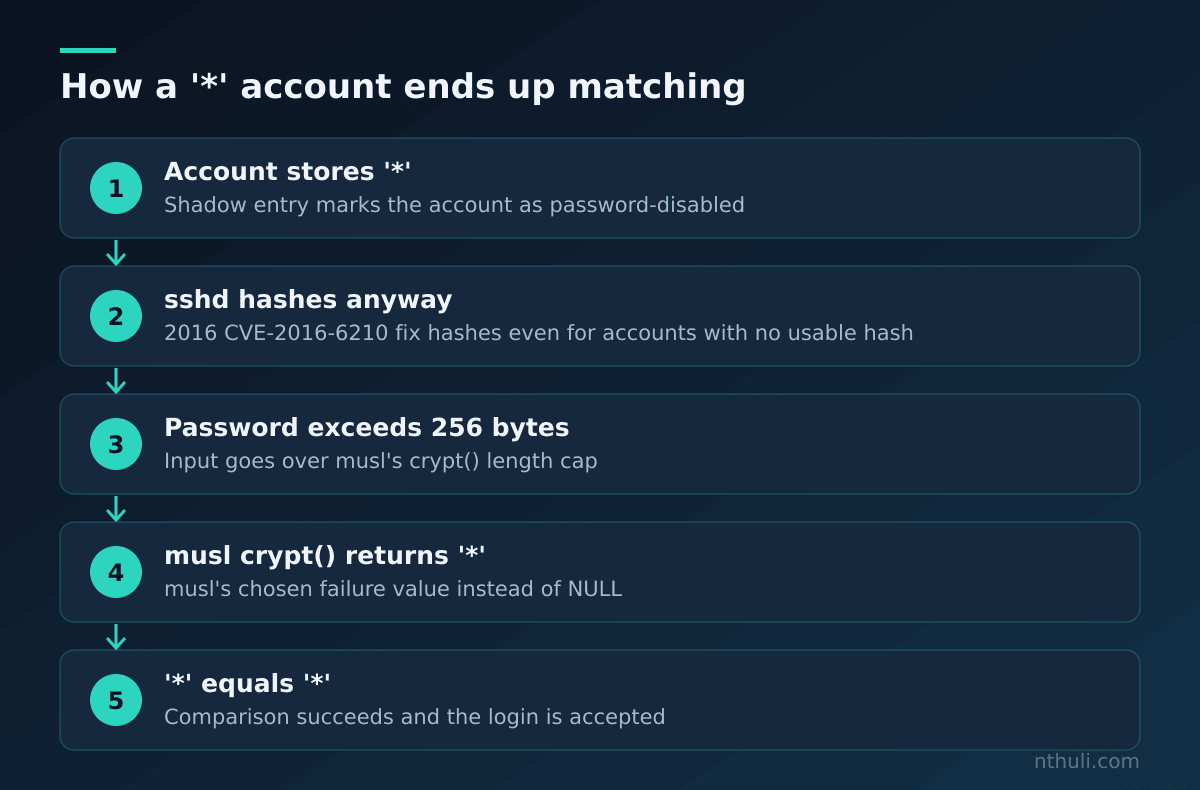
1. The asterisk convention. Linux accounts can block password logins by storing * in place of a password hash. The convention is old. In 1980, BSD Unix used a single asterisk for the daemon user to disable password authentication.
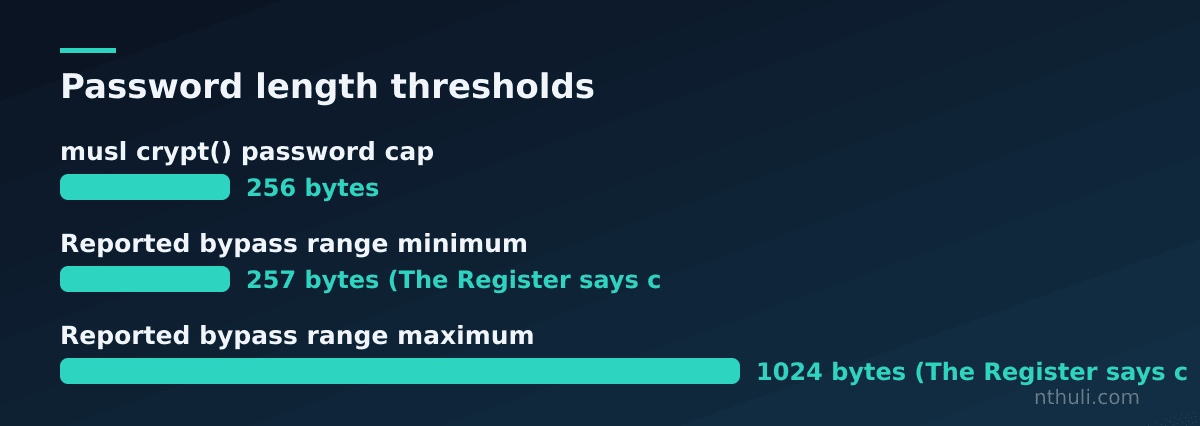
2. musl’s failure value. crypt() can return NULL when it cannot compute a hash. musl’s developers chose to return a single character on certain failures instead, and that character is *. musl also caps passwords at 256 bytes, because SHA-512 hashing slows down as passwords get longer and a flood of huge passwords could cause a denial of service.
3. OpenSSH’s 2016 anti-enumeration fix. To fix the username-enumeration bug CVE-2016-6210, OpenSSH started hashing passwords even for accounts with no usable hash, including * accounts. The goal was to make response times look the same for every account.
Put those together and an oversized password makes musl’s crypt() return *. sshd then compares that * with the stored *, finds a match, and lets the user in.
Two points of scope:
- Accounts with valid password hashes cannot be bypassed this way. Only
*accounts are at risk. - The sources describe the bypass length a little differently. The Hacker News says 257 to 1,024 bytes, and The Register says 257 to 1,024 characters. The lower bound follows from musl’s 256-byte cap. For multi-byte input, treat bytes as the unit that matters.
The exact preconditions
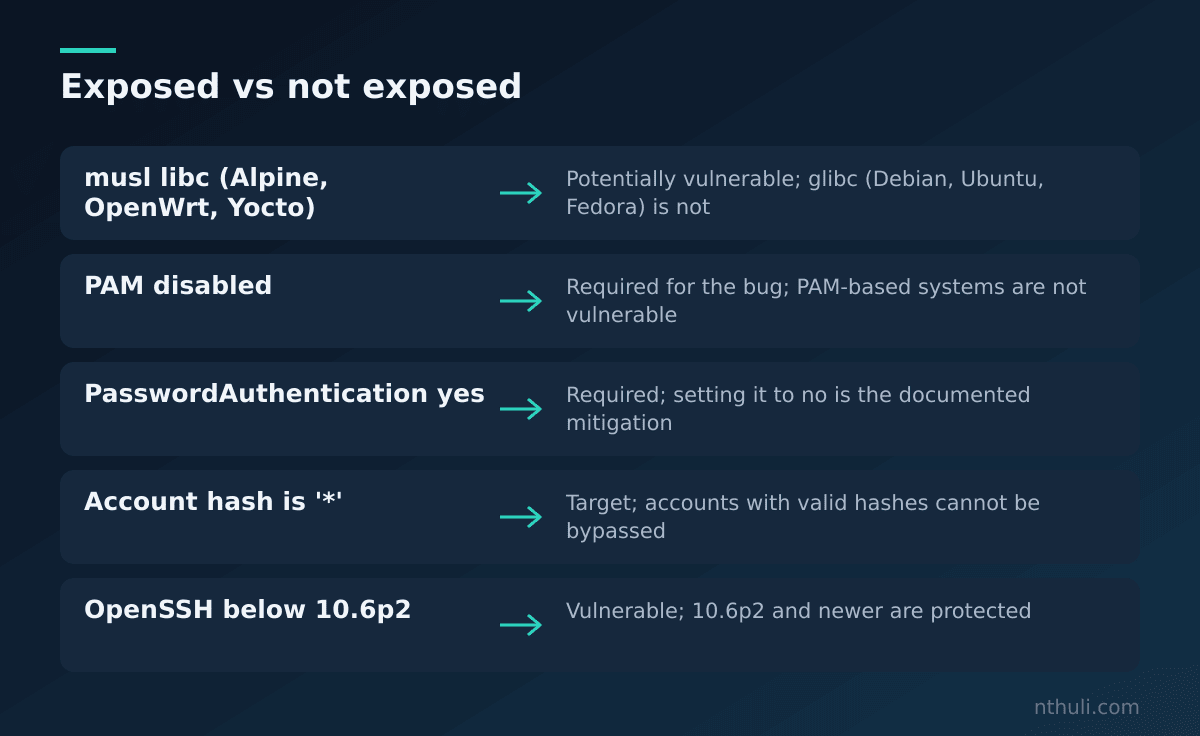
Every one of these conditions has to be true. That makes the list useful for triage: if you can rule out any single line, that host is not exposed.
| # | Condition | How to check |
|---|---|---|
| 1 | sshd runs on a musl system (Alpine, OpenWrt, Buildroot, Yocto) | ls /lib/ld-musl-*.so.1 and check /etc/os-release |
| 2 | PAM is disabled (the default in Alpine’s openssh-server) | sshd -T \| grep -i usepam |
| 3 | SSH password authentication is enabled | sshd -T \| grep -i passwordauthentication |
| 4 | At least one account has * as its hash |
awk -F: '$2=="*"{print $1}' /etc/shadow |
| 5 | Another account has a valid password hash | Review /etc/shadow for real hashes |
| 6 | The attacker has network access and a valid account name | Check exposure in firewall and security group rules |
sshd -T prints the effective configuration, so it catches settings from included files and defaults that you would miss by reading sshd_config alone.
Which systems and accounts are in scope
| Platform / setup | Status per sources |
|---|---|
| Alpine, OpenWrt, Buildroot, Yocto + sshd without PAM | Potentially vulnerable |
| Debian, Ubuntu, Fedora (glibc) | Not vulnerable |
| Any system using PAM authentication | Not vulnerable |
| Alpine official AWS and Azure images | Default alpine account affected, with passwordless doas |
The cloud image entry needs the most attention. The researcher warns that passwordless doas on the default alpine user could let an attacker reach root. Whether a given instance is exposed depends on its configuration.
Accounts named as reachable include root, key-only deployment users, and LDAP users. Direct root login is still governed by sshd’s own configuration. In other words, PermitRootLogin still applies.
On containers: most Alpine containers do not run sshd at all, and the flaw needs a listening OpenSSH daemon. Focus first on images that ship openssh-server, such as bastion, debug, legacy “VM-style” containers and appliance builds. Don’t count every image that happens to use FROM alpine.
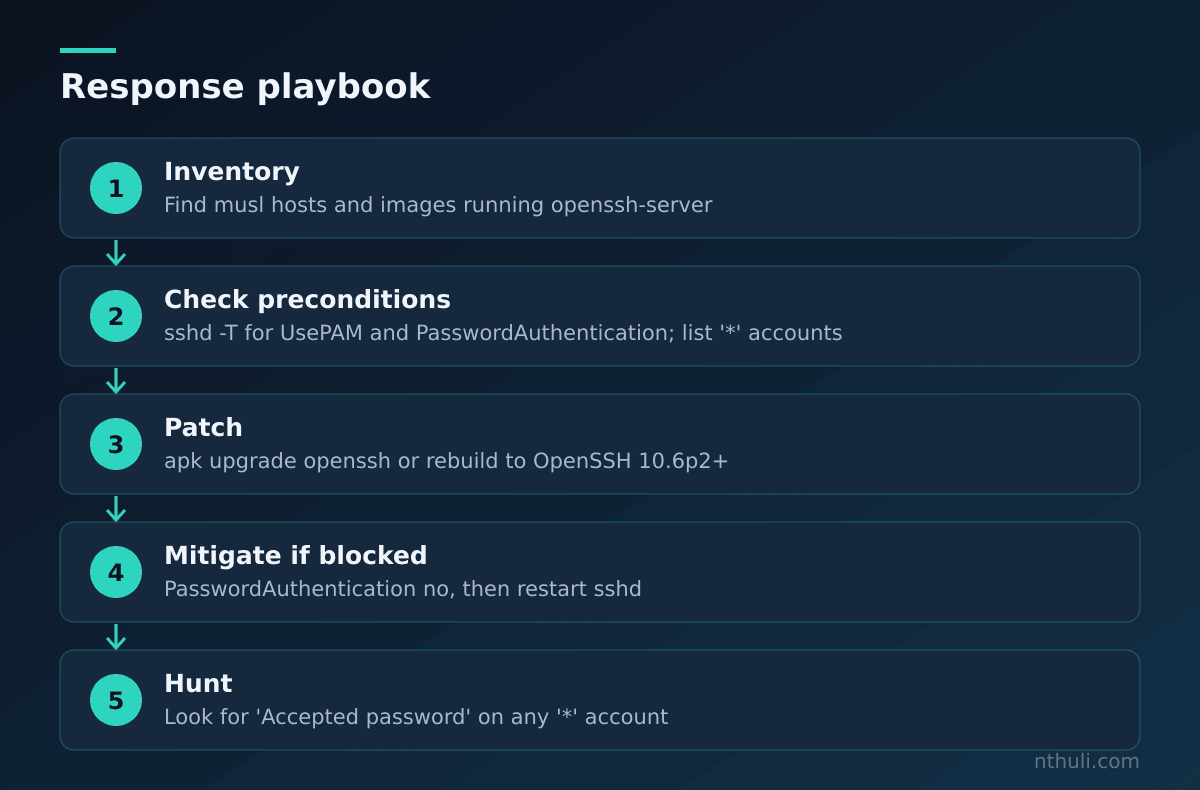
Step 1: Inventory candidate hosts
Build the target list before you patch anything.
- Fleet search: look for hosts and images that have both musl and an OpenSSH server installed. On Alpine,
apk info -v openssh-servershows the installed package and version. - Embedded and edge devices: OpenWrt routers, Buildroot appliances and Yocto builds are named as affected platforms. These devices often sit outside normal patch pipelines, so put them on their own list.
- Cloud: search for instances launched from Alpine’s official AWS and Azure images.
- Container registries: search Dockerfiles for
openssh-serverorsshdon Alpine bases.
For each candidate, run the checks from the preconditions table. A host where UsePAM is on, or PasswordAuthentication is off, drops to low priority.
Step 2: Patch OpenSSH
The upstream fix is OpenSSH 10.6p2, released 5 November 2026. Any build 10.6p2 or newer is protected.
On Alpine:
apk update
apk upgrade openssh
rc-service sshd restart
Alpine has published fixed packages, but the available source text is cut off before it lists which branches. Check Alpine’s own security tracker for the exact package version on your release instead of matching only on the upstream “10.6p2” string.
For containers, upgrading inside a running container doesn’t last. Rebuild the image, push it, and redeploy. Then confirm the new package version in the running workload.
For OpenWrt, Buildroot and Yocto, the sources don’t name vendor package versions. You will probably need a firmware or image rebuild against the fixed OpenSSH. If you can’t do that yet, use the mitigation in Step 3.
Step 3: Mitigate where you can’t patch yet
The documented stopgap is to set PasswordAuthentication no and restart sshd. This removes precondition 3, which takes away the attack path.
| Option | Removes which precondition | Notes |
|---|---|---|
| Upgrade to OpenSSH 10.6p2+ | Fixes the root cause | Primary fix |
PasswordAuthentication no + restart |
#3 | Documented mitigation; breaks password users |
| Restrict network access to sshd | #6 | Reduces exposure, does not fix |
| Use PAM-based authentication | #2 | Sources say PAM systems are not vulnerable; test carefully before switching |
After any change, run sshd -T again and confirm the effective value. Don’t rely on the edited file being the one sshd actually reads.
Step 4: Hunt for oversized-password logins
The sources give no CVE ID or exploitation indicators for the new flaw, and there is no indication that vulnerable systems have been exploited. Even so, the bug has existed for about a decade, so the hunt is worth doing.
The detection logic is simple. A successful password login to an account whose shadow entry is * should be impossible. If you find one, it is a possible sign of exploitation.
On Alpine, the researcher’s checks are:
grep "Accepted password" /var/log/messages
grep '^alpine:' /etc/shadow
To cover every * account instead of only alpine, list them and cross-reference:
for u in $(awk -F: '$2=="*"{print $1}' /etc/shadow); do
  grep "Accepted password for $u " /var/log/messages
done
Things to keep in mind when you run this across a fleet:
- Log location varies.
/var/log/messagesis the Alpine path given by the researcher. Embedded systems may log to RAM or a remote syslog, so check where logs actually go and how long they are kept. - Centralized SIEM: search for the pattern
Accepted password for <user>where<user>is in your list of known key-only or service accounts. Keep that list in a lookup table. - Snapshot shadow state first. Record which accounts were
*before you remediate, so later changes don’t hide what was true when the logins happened. - The log line won’t show password length. The sources describe no way to see the submitted length in sshd logs. The evidence is the mismatch between “accepted password” and a
*hash.
| Finding | Interpretation | Action |
|---|---|---|
Accepted password for a * account |
Possible exploitation | Isolate, preserve logs, treat as compromise |
Accepted password for a valid-hash account |
Normal, if expected | Review as routine |
Accepted publickey for a * account |
Expected key-only use | No action for this flaw |
| No logs retained for the window | Unknown | Assume exposure if preconditions were met |
If you confirm a hit on an Alpine cloud image, assume root, given the passwordless doas on the default account. Scope the response to cover the whole host, not just one user.
A note on how it was found
Kültekin says he found the bug using AI agents that ran about 17,600 authentication tests across OpenSSH configurations, malformed hashes and oversized passwords. Defenders should take note: this was a bug in how two components fit together, not in either one alone, and that kind of large-scale combinatorial testing is what surfaced it.
What to learn from this
*in/etc/shadowis a convention, not a guarantee. It only works if every layer handles hash failures safely. Turn offPasswordAuthenticationwherever accounts are meant to be key-only.- Triage by preconditions. musl, no PAM, password auth on, and a
*account are all required. Ruling out any one of them removes the risk for that host. - Patch to OpenSSH 10.6p2 or your distro’s fixed package, and rebuild container and firmware images instead of patching running instances.
- Hunt for the impossible event. A successful password login to a password-less account is a high-signal detection that works no matter how the bypass happened.
- Audit cloud defaults. Alpine’s official AWS and Azure images combined an affected account with passwordless
doas, which turns a niche bug into a root-level risk.