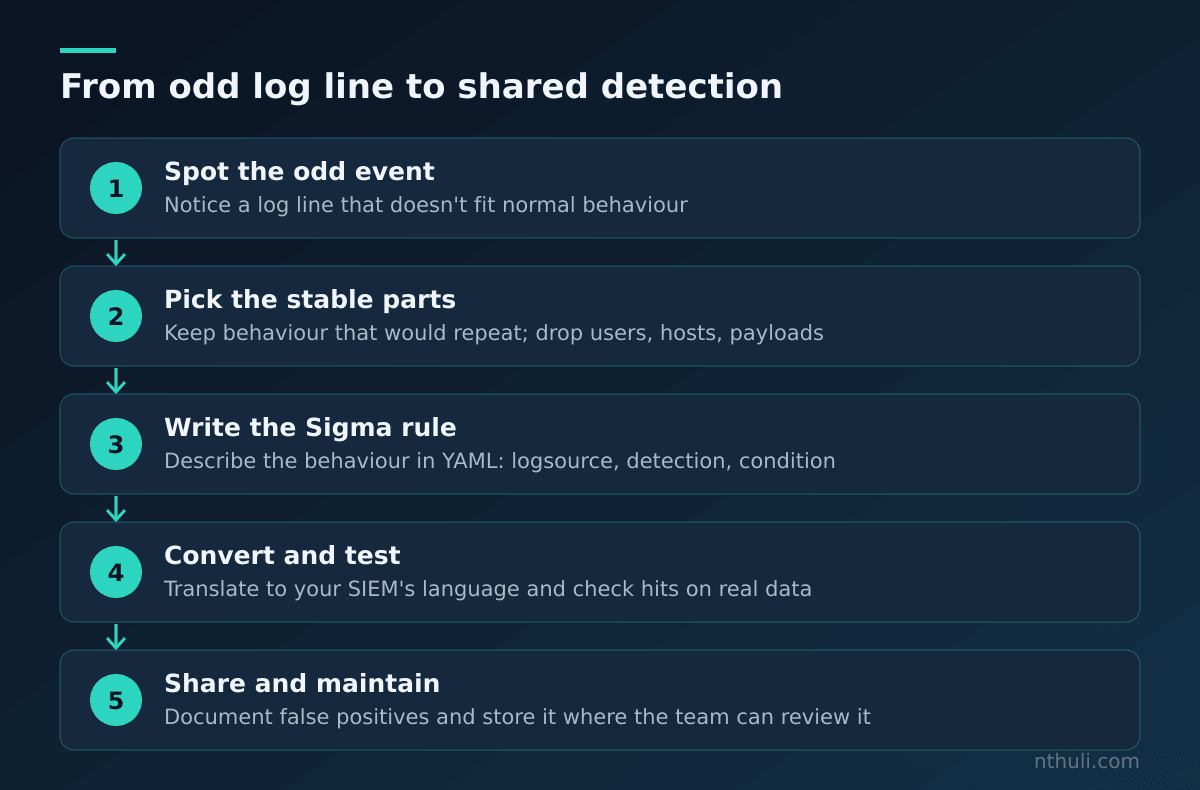
Somewhere in your logs right now there’s a line that looks a bit off. Maybe PowerShell started with a long scrambled string after it. Maybe a program ran from a folder where programs don’t usually live. Most new analysts notice it, mention it in chat, and move on. This post covers the next step: turning that one odd line into a detection rule that anyone on your team, or in the wider community, can reuse.
The tool for that is Sigma. Once you can write a Sigma rule, you’re no longer just clicking through alerts. You’re writing the things that trigger them.
What Sigma Actually Is
A few terms first:
- Log: a record a computer writes when something happens, like a diary entry. “At 10:02, this program started.”
- SIEM (Security Information and Event Management): the big search engine where an organisation collects all those diaries. Splunk, Elastic and Microsoft Sentinel are common examples.
- Detection rule: a saved search that runs over and over and raises an alert when it finds a match.
The problem is that every SIEM has its own search language. A rule written for one won’t run on another, so it’s like writing a recipe that only works in one brand of oven.
Sigma fixes that. It’s an open, shared format for describing what to look for in logs, written in plain text. A converter then translates it into whatever search language your SIEM uses. Write the recipe once and it works in any oven.
Step 1: Start With the Weird Line
Here’s an example of the kind of event you might come across. It’s made up for this post, but it’s shaped like a real Windows “process creation” log, meaning the record Windows keeps each time a program starts. The free Microsoft tool Sysmon records these as Event ID 1, and Windows’ own security log records them as Event ID 4688.
EventID: 1
Image: C:\Windows\System32\WindowsPowerShell\v1.0\powershell.exe
CommandLine: powershell.exe -NoProfile -EncodedCommand <long scrambled text>
ParentImage: C:\Program Files\Microsoft Office\root\Office16\WINWORD.EXE
User: CORP\jsmith
Before you write anything, read the line field by field. A field is one labelled piece of the record, like the “Name” box on a form.
| Field | Value (simplified) | What it means in plain words |
|---|---|---|
Image |
...\powershell.exe |
The program that started: PowerShell, Windows’ built-in scripting tool |
CommandLine |
-EncodedCommand <scrambled text> |
The instructions it was given, which are hidden in an encoded form |
ParentImage |
...\WINWORD.EXE |
The program that launched it: Microsoft Word |
User |
CORP\jsmith |
The account it ran under |
Why does this look odd? Encoding here means the instructions were converted into a format (Base64) that humans can’t read at a glance. Administrators sometimes do this for legitimate reasons, but attackers also use it to hide what their script does. On top of that, a Word document starting PowerShell is unusual for most office workers.
That gives you your first lesson. A detection is a description of the suspicious part, not a copy of the whole line. The username and the exact scrambled text will be different next time. “PowerShell started with an encoded command” won’t change.
Step 2: Pick What to Match
Ask yourself: what would stay the same if this happened again on a different machine?
- Keep: the program name (
powershell.exe) and the encoding flag (-EncodedCommand). - Drop: the user, the computer name, the timestamp and the scrambled text itself.
- Maybe later: the Word parent. It makes the rule sharper but narrower. You can save it for a second, higher-severity rule.
Step 3: Write the Rule
Sigma rules are written in YAML, a plain-text format that uses indentation (spaces at the start of lines) to show structure, much like a bulleted list. Here’s a complete beginner rule:
title: PowerShell Started With an Encoded Command
id: 6f1c2a7e-3b4d-4e8a-9c21-5d7e0f9a1b23
status: experimental
description: Detects PowerShell launched with an encoded command, a way of hiding what a script does.
author: Your Name
date: 2026-11-09
tags:
  - attack.execution
  - attack.t1059.001
logsource:
  category: process_creation
  product: windows
detection:
  selection_program:
    Image|endswith:
      - '\powershell.exe'
      - '\pwsh.exe'
  selection_flag:
    CommandLine|contains:
      - ' -enc'
      - ' -ec '
  condition: all of selection_*
falsepositives:
  - IT management and software deployment tools that run encoded PowerShell
level: medium
It looks dense, but each section has one job:
| Section | What it does | Everyday analogy |
|---|---|---|
title, description |
Says what the rule finds, in human words | The name on a recipe card |
id |
A unique random code (a UUID) so the rule can be tracked | A library barcode |
status |
How mature it is: experimental, test, stable |
“Draft” vs “Final” on a document |
tags |
Links to MITRE ATT&CK, a public catalogue of attacker techniques | Filing it in the right drawer |
logsource |
Which kind of log to search | Telling someone which shelf the book is on |
detection |
The actual matching logic | The ingredients list |
condition |
How the pieces combine | “Mix A and B” |
falsepositives |
Known innocent causes | “May contain nuts” warning |
level |
Severity: informational up to critical |
A traffic-light colour |
The little words after the pipe
Image|endswith uses a modifier. It changes how a match works. Without one, Sigma looks for an exact match.
| Modifier | Meaning | Example |
|---|---|---|
| (none) | Field equals this value exactly | User: 'SYSTEM' |
contains |
Value appears anywhere in the field | CommandLine|contains: ' -enc' |
startswith |
Field begins with this | Image|startswith: 'C:\Users\' |
endswith |
Field ends with this | Image|endswith: '\powershell.exe' |
all |
Every listed value must appear, not just one | CommandLine|contains|all: |
Two rules to remember:
- A list under one field means OR. The program can be
powershell.exeorpwsh.exe. - Different selections are combined by the
condition.all of selection_*means both the program part and the flag part must match.
Sigma’s text matching ignores upper and lower case by default, so -ENC and -enc both count.
Step 4: Think Like the Person Dodging You
Look at the flag list again. Why ' -enc' and ' -ec ' rather than the full word -EncodedCommand?
PowerShell accepts shortened versions of parameter names. If your rule only matched the full word, a shorter spelling would slip straight past it. Matching on -enc also catches the full -EncodedCommand, because the full word contains those letters.
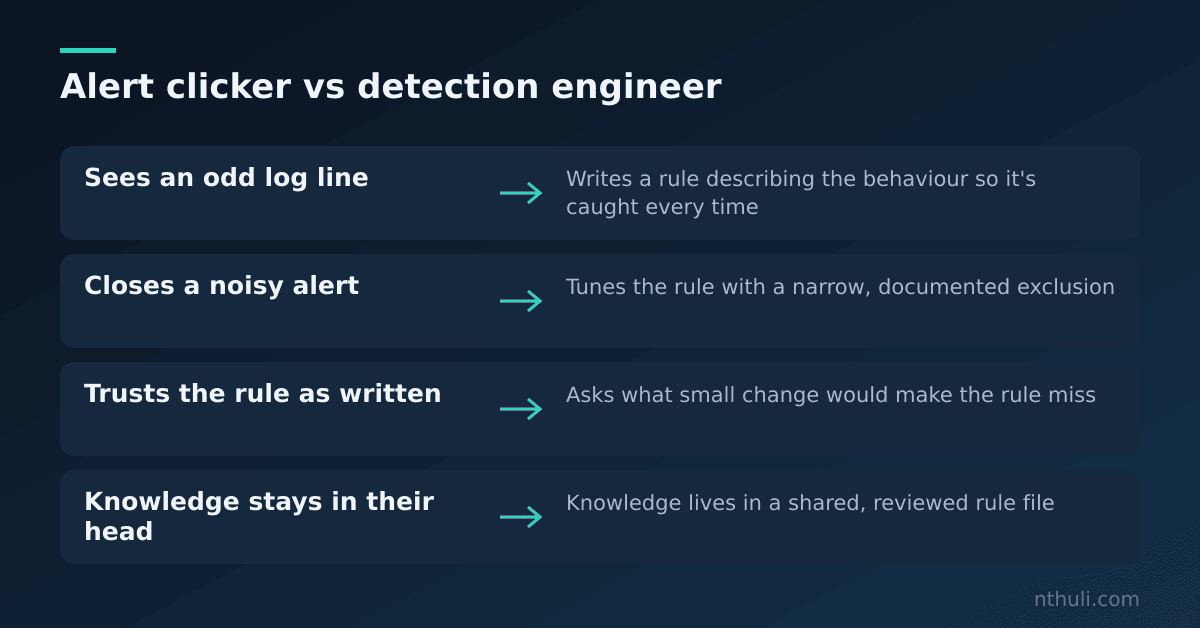
The habit to build is this: every time you write a rule, ask “what small change would make this miss?” Then decide whether to cover it here, cover it in a second rule, or write it down as a known gap. This is the most useful skill in detection engineering, and it’s entirely defensive. You’re closing doors, not opening them.
Step 5: Convert It and Test It
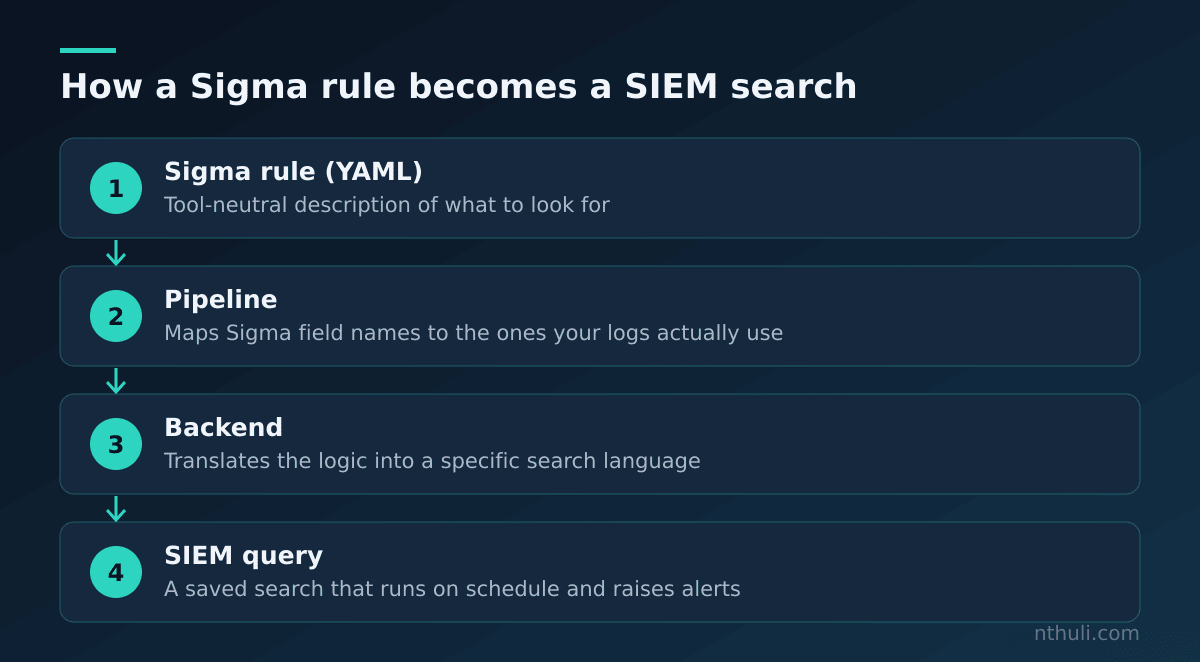
A Sigma rule doesn’t run by itself. A converter turns it into your SIEM’s search language. The official command-line tool is sigma-cli, built on a library called pySigma. You give it:
- the rule file,
- a backend, meaning the target language (Splunk, Elastic and so on),
- a pipeline, which maps Sigma’s standard field names to the ones your logs actually use. If your SIEM calls the program field
process_pathinstead ofImage, the pipeline handles that translation.
Then test the rule. Don’t skip this part.
- Does it fire on the original weird event? If not, check your field names and the pipeline first.
- How often does it fire on normal data? Run it over a recent stretch of historical logs.
- Who triggers it? Group the results by program and parent. If one IT tool makes up most of the hits, that’s a candidate for an exclusion.
When you add an exclusion, make it narrow:
  filter_it_tool:
    ParentImage|endswith: '\YourDeploymentAgent.exe'
  condition: all of selection_* and not filter_it_tool
| Tuning choice | Effect | Risk |
|---|---|---|
| Exclude one specific trusted parent program | Removes a known noisy source | Low, as long as the path is specific |
| Exclude a whole user or server | Removes a lot of noise | High, because attackers love trusted accounts |
Raise level only when parent is an Office app |
Sharper priority | Low, and it’s a good second rule |
Lower level to low |
Fewer people look at it | Real hits get ignored |
Step 6: Share It
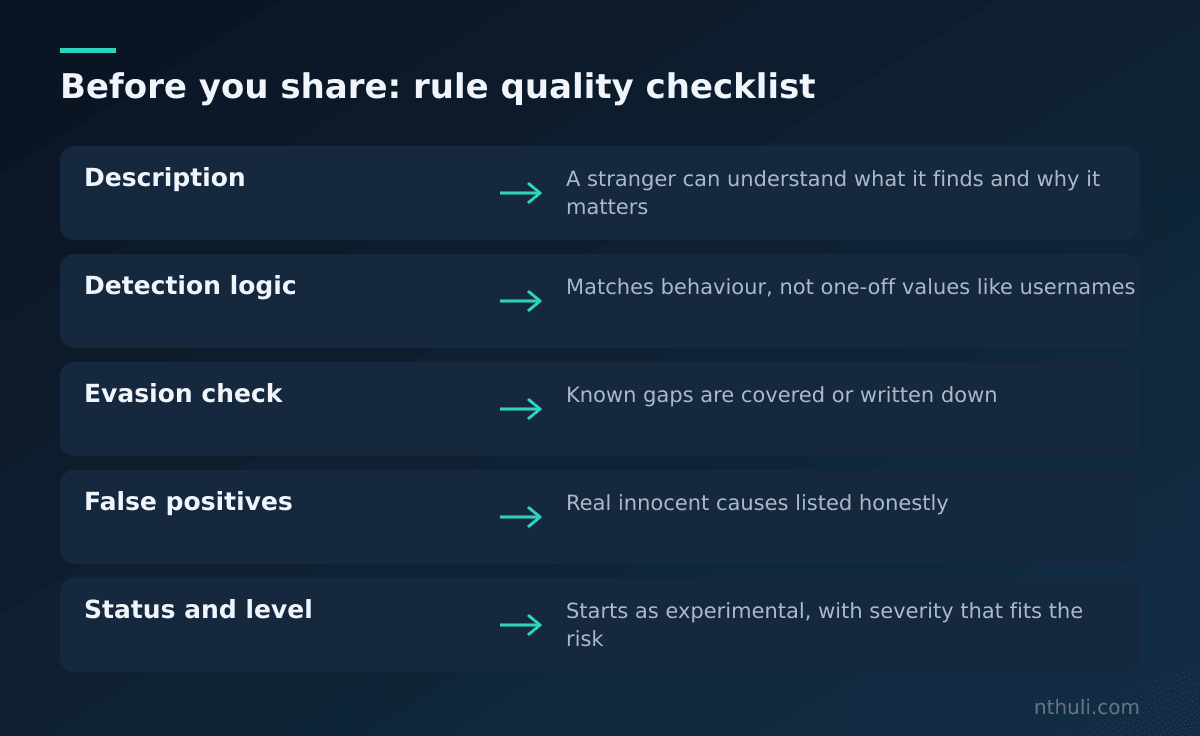
A rule that only lives on your laptop protects nobody. Before you hand it over:
- Write a
descriptiona stranger could understand. - Fill in
falsepositiveshonestly. It’s the most useful field for whoever gets paged at 3 a.m. - Set
status: experimentaluntil it has run for a while without surprises. - Keep rules in a shared version-controlled folder (for example, a Git repository) so changes are reviewed and tracked.
- Look at the public SigmaHQ rule collection before you write anything. Someone may already have a rule for your idea, and reading good rules is the fastest way to learn.
What to learn from this
- Describe the behaviour, not the event. Drop usernames, hostnames and payloads. Keep the parts that would repeat.
- Every rule needs an evasion check. Ask “what tiny change makes this miss?” and either cover it or record it as a known gap.
- Testing is part of writing. Confirm the rule fires on the original event, then measure how much it fires on normal data before it goes live.
- Exclusions should be narrow. Filter one specific trusted program, never a whole account or server.
- Write for the next person. A clear description and an honest false-positives list turn your detection into something the team can rely on.